Monday morning. The calendar has gaps, paid social needs fresh creative, and the team asks for ideas for a video that can ship fast and do more than collect views. That is usually when brands default to safe formats. A trend remix. A glossy reel. A founder clip with no offer, no hook, and no way to tie performance back to revenue.
That approach wastes budget.
Ecommerce brands need purchases. Restaurants need bookings and foot traffic. Local retailers need store visits, redemptions, and repeat customers. Agencies need content they can defend in a client report. A useful video concept starts with the business action you want, then builds the creative around that outcome.
Cisco has long projected that video would account for 82% of consumer internet traffic globally, a benchmark widely cited across the industry in its annual visual networking forecasts. The takeaway is simple. Video now sits in the core media mix, not on the edge of it.
The win is not higher production value by default. The win is format fit, message clarity, and tracking discipline. In practice, that usually means short videos built for how people already consume TikTok, Instagram Reels, Stories, YouTube Shorts, and paid social. Specific beats. Fast hooks. A single CTA. A clear path to measurement.
I have found that weak performance often starts in the brief, not in the edit. If the team cannot define the opening hook, proof point, offer, CTA, creator or on-screen talent, and tracking setup before filming, the asset usually ends up hard to scale. It may look busy in the content calendar and still produce nothing you can attribute to sales.
Use each of the ideas below as a campaign brief, not a prompt. Include the hook, scene order, CTA, offer, distribution channel, and reporting method from day one. Add UTM links for clicks, promo codes for creator or offer attribution, platform pixel events for purchases, and where relevant, QR codes or point-of-sale redemption tracking for in-store lift.
If you need a broader planning framework first, this guide to a modern video content marketing strategy is a useful companion. The eight concepts that follow are built for brands that care about attributable revenue, booked appointments, and measurable foot traffic.
1. The Authentic Micro-Influencer Unboxing
A customer sees a package on their doorstep, opens TikTok, and films the first 20 seconds before they even get to the kitchen counter. That is the version of unboxing worth paying for. It captures curiosity, proof, and product context in one sequence that feels bought, not staged.
This format works best when the creator looks and sounds like a real buyer with taste, standards, and a reason for choosing the product. Beauty, food, home goods, gifting, lifestyle accessories, and local delivery brands all benefit from that credibility. The commercial value is simple. A good unboxing answers purchase objections fast, gives you paid-ready creative, and can drive trackable redemptions if the offer is tight.
The first five seconds decide whether the asset sells. Brand-heavy intros usually weaken performance because the viewer has not earned enough context to care yet. Stronger openings sound like a reaction or a small verdict. "I switched because the last one kept leaking." "This looked better than I expected." "Testing the local spot people keep recommending."
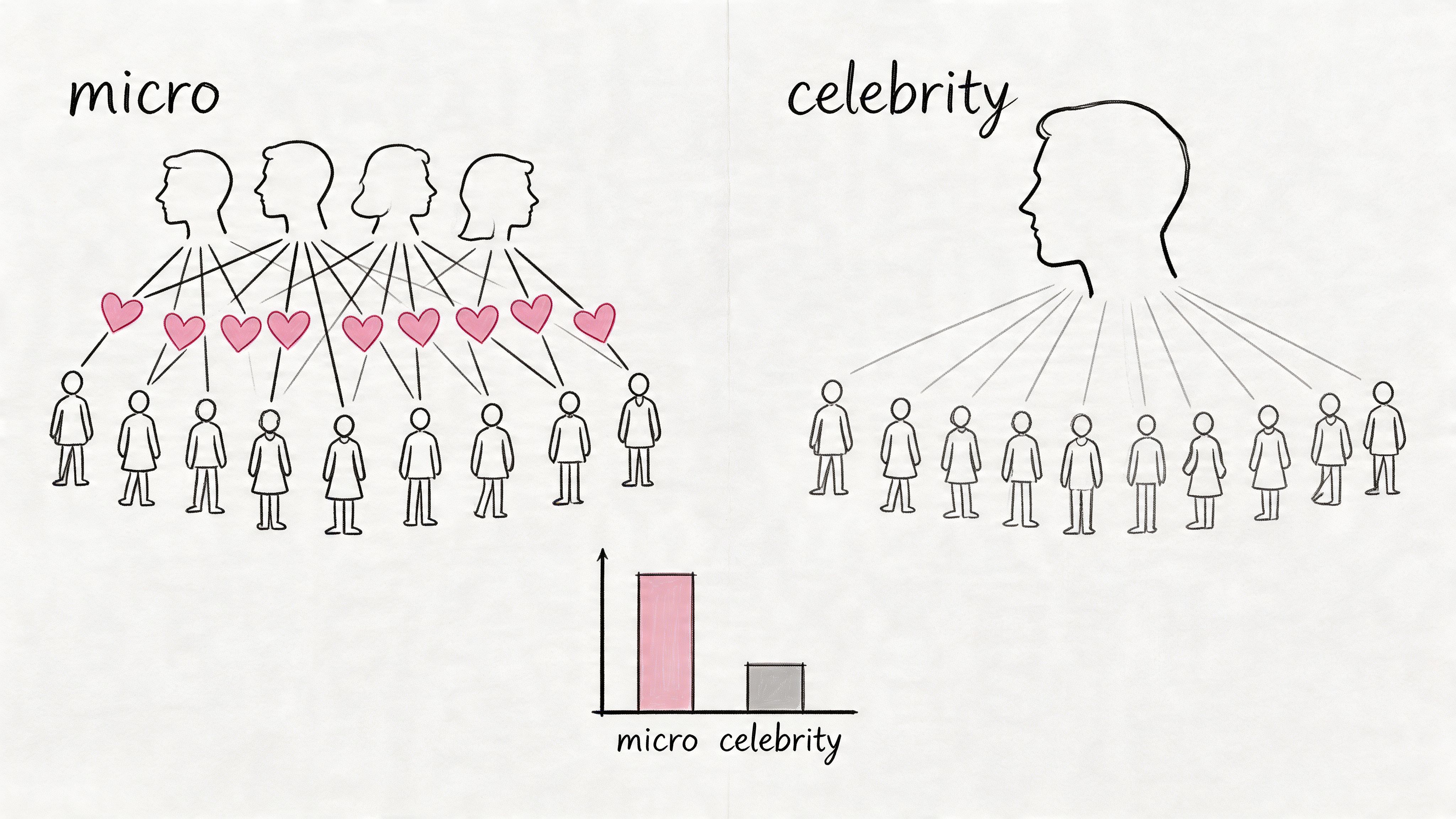
Smaller creators are often the better bet here. Influencer Marketing Hub's benchmark data found that Instagram accounts with fewer than 10,000 followers had higher average engagement rates than larger tiers, which is why micro and nano creators often produce stronger conversion creative than bigger names with broader but less responsive audiences, according to Influencer Marketing Hub's influencer rates and engagement data. Reach matters, but response quality matters more if the goal is sales.
How to brief it so it sells
Give the creator a campaign brief, not a script. Define the hook, product angle, offer, CTA, and tracking method before filming. Then leave room for their own language and reactions.
Use a simple scene order:
Open on the arrival or first touch: Delivery bag, mailer, box cut, wrapper peel, first pour, first bite.
Capture one physical proof point: Texture, sound, fit, weight, steam, snap, pigment, or packaging detail.
Force a buying verdict: "Would I order this again?" or "Would I recommend it to a friend?" gives the clip a clear decision point.
Close with the offer: One line. One action. One reason to act now.
The best briefs also set the commercial angle upfront. For a restaurant, that might be a delivery unbagging tied to a weekday lunch code. For skincare, it could be a first-use test tied to a starter bundle. For a gift brand, the strongest version is often the recipient reaction plus a seasonal deadline. Each variation should answer the same buyer question. Is this worth my money right now?
CTA and tracking setup
Treat every unboxing like a measurable campaign asset. Use creator-specific promo codes for ecommerce. Use UTMs on the profile link or Story link sticker. For local brands, add a booking code, QR code, or point-of-sale redemption trigger so store visits and orders can be traced back to the creator.
Keep the CTA concrete. "Use MAYA10 before Sunday." "Scan the code for the lunch bundle." "Book with code SKIN15 this week." If the creator needs two sentences to explain the offer, simplify it.
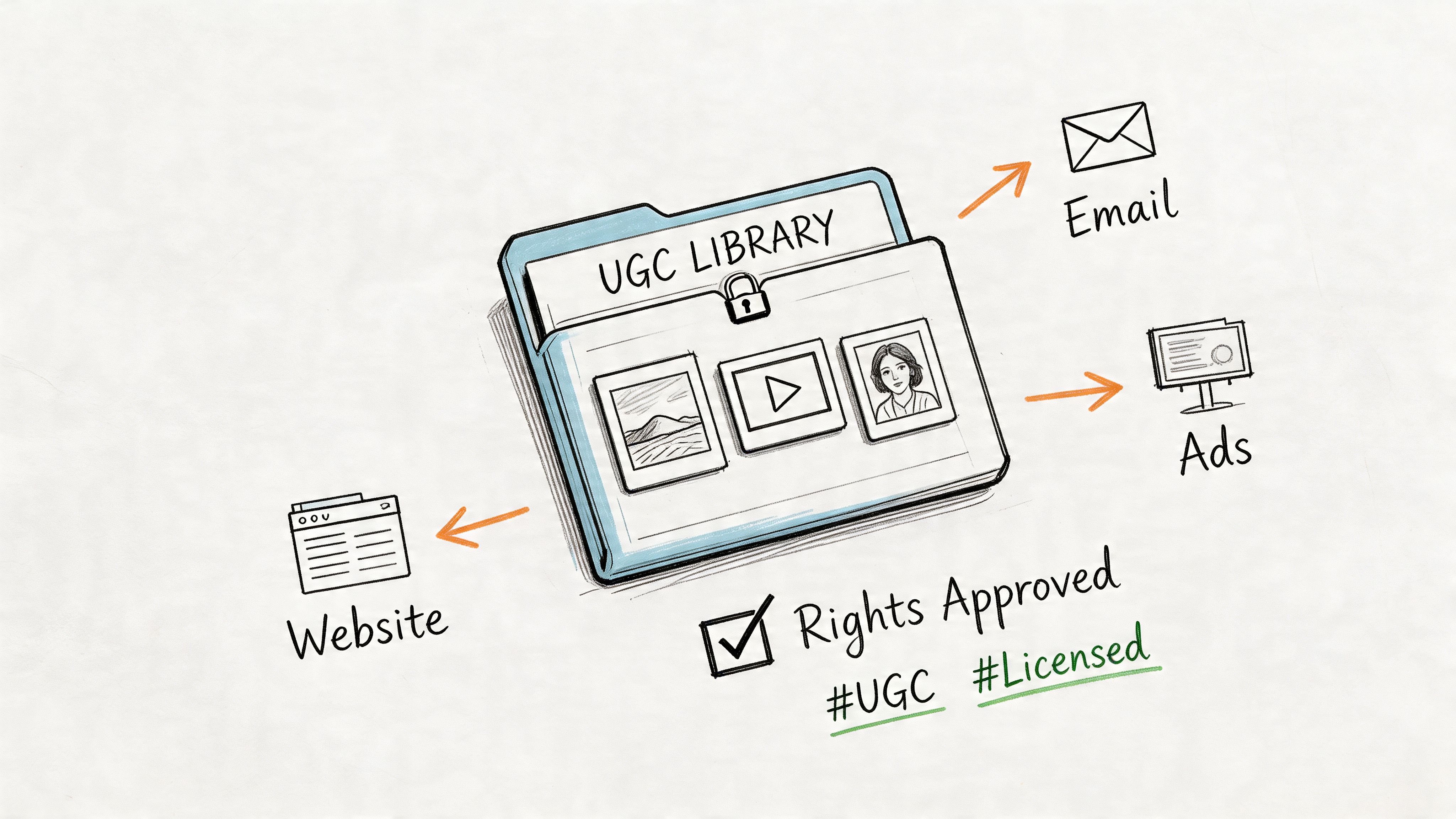
I also recommend storing every approved clip in a UGC library tagged by hook, creator niche, SKU, offer, and result. That turns one unboxing into more than a social post. It becomes a reusable ad unit you can test in paid social, compare against studio creative, and scale based on revenue, not compliments in the comments.
2. The Problem Solution Product Demo
Most product demos fail because they start with features. Buyers don't wake up wanting features. They want a faster way to solve a specific annoyance, avoid a bad outcome, or look competent at work. The cleanest video demos show the mess first, then the fix.
For software, show the spreadsheet chaos, the missed follow-up, the duplicate tasks, or the endless manual handoff. For a physical product, show the leak, the clutter, the wasted time, the awkward setup, or the poor result from the old method. One clear before-and-after beat is enough.
A lot of teams overproduce this format. They add cinematic transitions, a voiceover full of category jargon, and a long feature walk-through. The better version is direct. Show the exact problem on screen. Then show the exact action that fixes it.
A stronger structure for short-form demos
Use a four-part sequence:
Open on the pain: "Still chasing creator payments in a spreadsheet?" or "Still packing orders with labels that smudge?"
Show the bad workflow: Let the viewer recognise their own process.
Switch to the better method: One click, one screen, one product use.
Close with the payoff: Time saved, cleaner output, faster booking, easier checkout, less waste, fewer errors.
This format is particularly good for agencies and service businesses because it can sell the process, not just the deliverable. If you run a creative studio, don't just show the final ad. Show how quickly concepts move from brief to publishable asset. If you run a restaurant tech tool, show how bookings or redemptions are captured at the till or in the dashboard.
What to measure
This is one of the best ideas for a video when your audience already knows the category but hasn't chosen a provider. Treat it like mid-funnel content. Track click-throughs, demo requests, add-to-basket events, booking starts, and code use by creative variant.
A practical version for paid social is to make three edits from one shoot. One opens with inconvenience. One opens with cost leakage. One opens with speed. The footage can stay nearly identical, but the hook changes who stops scrolling.
The strongest demos don't say "our product is easy". They show a task that looked annoying become simple in under a minute.
What doesn't work is trying to educate the whole market in one reel. Pick one use case. One audience. One problem. Leave the broad brand story for your website or a longer landing page video.
3. The Behind the Pass Exclusive
It is 6:45 p.m. The room is filling up, tickets are stacking, and a plate gets finished in one clean sequence. That is the shot. A strong behind-the-pass video captures the pressure, pace, and precision that diners pay for but rarely see.
For hospitality brands, this format works best as conversion content, not atmosphere content. The goal is not to collect passive views. The goal is to give someone enough proof to book a table, choose your venue over the one nearby, redeem a limited dish, or leave with a stronger memory that turns into a review later.
The camera should stay close to moments that signal standards. Hands finishing a dish. The pass during a rush. A baker checking texture. An espresso shot pulling correctly. A front-of-house handoff that shows pace without chaos. Those details do more sales work than a slow pan across empty tables.
Make the kitchen the proof
Behind-the-pass content performs because it shows operational quality without forcing the brand to claim it. Viewers can see timing, consistency, freshness, and team coordination for themselves. That matters for independent restaurants trying to win tonight's booking and for groups that need each location to feel credible at a local level.
Angle choice changes the result. A slight overhead or low-tilt setup usually keeps the food readable while preserving the human element in frame. A flat top-down can look clean, but it often strips out heat, movement, and urgency. For hospitality teams planning creator shoots, this guide on finding local food influencers in your city is useful because the best local creators already know how to frame service moments that feel native, not staged. For a broader production principle, Wistia's guide to camera shot types and angles explains why angle selection changes how viewers read action and intent.
One practical rule helps here. If the viewer can almost feel the heat or hear the pace, the framing is probably close enough.
Hooks and CTAs that fit hospitality
This concept gets stronger when the creative brief is tied to one business outcome. A Friday lunch push needs a different hook than a tasting menu launch or a review-generation campaign.
Try hooks like these:
Rush hook: "What the pass looks like 20 minutes before peak service."
Signature hook: "How our best-selling dish gets finished before it hits the table."
Access hook: "The part of service diners never get to see."
Match that with one CTA. Book for this week. Order the seasonal special before it leaves the menu. Use a dish-specific code. Leave a review after your visit. If you ask a creator to narrate, keep it to one grounded observation, such as speed, detail, or consistency. That feels believable and keeps the video out of ad-script territory.
Tracking matters. Add a location tag, use a distinct booking link or offer code, and separate organic from paid edits inside reporting. If the brief is built to drive quieter midweek covers, measure bookings by daypart and creative variant. If the brief is built for review lift, connect the post to table cards, SMS follow-up, or receipt prompts so the video is part of the full review flow.
Pretty kitchen footage on its own rarely produces revenue. A behind-the-pass exclusive needs a hook, a clear offer, and a tracking setup before the first shot gets captured.
4. The Local Guide City Spotlight
A creator films a "best quick lunch near the station" roundup. Your shop appears as one stop on the route. Footfall rises that afternoon, and the video keeps driving saves, shares, and store visits for days after. That is why this format works. It places the brand inside a useful local decision instead of asking for attention with a generic promo.
This concept suits any business that wins by postcode. Cafes, salons, gyms, clinics, retailers, franchise groups, and multi-site hospitality brands all fit. The strongest version feels like a city recommendation first and a brand placement second. That trade-off matters. A harder sell can raise click-through in the short term, but a more editorial edit usually gets better watch time, more saves, and stronger local trust.
Start with a local use case. Before-work coffee in Bristol. A post-gym dinner in Manchester. A last-minute gift stop in Leeds. Rainy Saturday picks in Shoreditch. Each angle gives the creator a real brief, a natural hook, and a clearer path to action.
Build the brief around local intent
Multi-location brands often flatten this format by reusing one script everywhere. That costs performance. The creator should reference the actual route, nearby landmarks, time of day, weather, and the small details locals notice. If the edit could have been filmed in any city, it will usually perform like generic branded content.
If you're sourcing creators city by city, this guide on how to find local food influencers in your city is a practical starting point. It helps filter for local relevance, not just follower count.
Short-form creator video is already well established in UK marketing. Industry reporting from Wyzowl's video marketing statistics shows how common video has become across business marketing, which lines up with what local operators already see. Short, creator-led, location-specific content is now a standard growth channel for brands that care about store visits and booked revenue.
Hooks, CTAs, and tracking that tie to revenue
A city spotlight should run like a campaign brief, not a vague awareness post. Pick one commercial goal per edit.
Retail hook: "Three last-minute gift spots in Leeds, starting with this one."
Restaurant hook: "Best pre-train lunch near the station if you've got 40 minutes."
Fitness hook: "Post-workout stops in Manchester that are worth the detour."
Service hook: "Local places to sort your week out in one trip."
Then match the CTA to the action you can measure.
Retail CTA: Show this video in store for a location-specific perk.
Hospitality CTA: Book through a neighbourhood landing page or mention the creator special.
Services CTA: Use the branch page tied to that postcode.
Multi-site brands CTA: Give each creator and location its own code, URL, or booking path.
For teams that care about proof, set this up the same way you would any measurable local campaign. Use creator-level UTMs, branch-specific landing pages, redemption codes, and separate reporting by city, format, and objective. This framework for measuring influencer marketing ROI that actually connects to outcomes is the right model if you need to tie views back to revenue, bookings, or foot traffic.
One rule keeps this format honest. The viewer should know the exact area, branch, or neighbourhood in the first few seconds.
Keep each edit tight. One route. One audience moment. One CTA. That is how a local guide video stops being "nice content" and starts behaving like an acquisition asset.
5. The Campaign ROI Client Case Study
The sales call goes well until procurement, finance, or the founder asks the same question: what did this produce? A case study video should answer that before the meeting. It needs to show the commercial problem, the campaign setup, the tracking method, and the business result in a way a buyer can verify.
This format works best when the buyer is already past awareness and is comparing options. Agencies, SaaS platforms, multi-location service brands, and performance-led teams all respond to the same thing. Proof that the work can be repeated, measured, and tied to revenue.
Wyzowl's video marketing statistics report that video remains widely used by businesses and is closely tied to sales and lead generation goals. That is the standard your case study video has to meet. Views are not the story. Commercial movement is.
Build the video like a campaign brief
Strong case study videos show four parts in a tight sequence:
The pressure point: Rising acquisition costs, weak attribution, inconsistent store-level execution, or too much manual coordination.
The campaign design: What you launched, which channels you used, how creators or locations were structured, and what the CTA asked the viewer to do.
The tracking setup: UTMs, codes, landing pages, CRM tags, booking paths, or store redemption mechanics.
The result: Bookings, redemptions, qualified leads, lower CPA, faster rollout, or clearer reporting.
That structure does two jobs at once. It helps the prospect understand the offer, and it pre-answers the skepticism that slows down deals.
Show the mechanism, not just the praise
A client saying "it worked" is useful. A buyer seeing why it worked is what gets the next call booked.
Use specific footage. Screen recordings of reporting views. Clips from the ads or creator posts. A branch manager confirming how redemptions were logged. A marketer explaining which CTA drove booked appointments instead of loose traffic. If the campaign had trade-offs, include them. For example, creator-led content may have driven cheaper clicks while branded edits converted better on retargeting. That kind of detail signals operating experience.
A practical script can be as simple as this:
Opening hook: "We had plenty of content. We could not tell which videos were driving bookings."
Context: Number of locations, campaign window, audience, and primary conversion action.
Intervention: Creator selection, offer structure, paid amplification, branch-level landing pages, and reporting setup.
Outcome: What changed in cost, lead quality, redemption volume, or sales visibility.
CTA: Book a strategy call, request a forecast, or ask for a sample rollout plan.
If your team needs a tighter measurement model before scripting the story, use this framework for influencer marketing ROI and how to measure what actually works. Case study videos convert better when attribution is built into the campaign before the first asset goes live.
What weakens this format
Feature tours usually slow the story down. Long praise clips do the same. Buyers want enough detail to trust the system, not a full product training session.
Keep the middle focused on decisions and evidence. What changed in the campaign setup? How was success tracked? Which CTA produced the cleanest signal? If one part underperformed, say so and explain the adjustment. That makes the win more credible.
A strong case study video sells the operating model behind the result.
Among the best ideas for a video, this one has the clearest path to pipeline impact because it mirrors how serious buyers evaluate risk. They are not buying creativity alone. They are buying a process that can produce measurable outcomes again.
6. The Process Pain to Gain Explainer
A buyer is six clicks into your site, still trying to work out why the current process keeps breaking. They do not need another feature tour. They need proof that the old way costs time, margin, and follow-through, and that the new way removes specific points of failure.
That is the job of a process pain to gain explainer.
This format works when the value of the offer sits inside coordination, not surface-level features. It fits logistics platforms, agency delivery models, booking systems, creator operations, fulfilment workflows, hospitality teams, franchise support, and any service where revenue gets lost between handoffs. If prospects keep asking how the system changes day-to-day work, this is the campaign brief to build.
The structure is simple. Show the costly friction first. Then show the operational fix. Close with the business result.
For creator campaigns, the friction usually looks familiar:
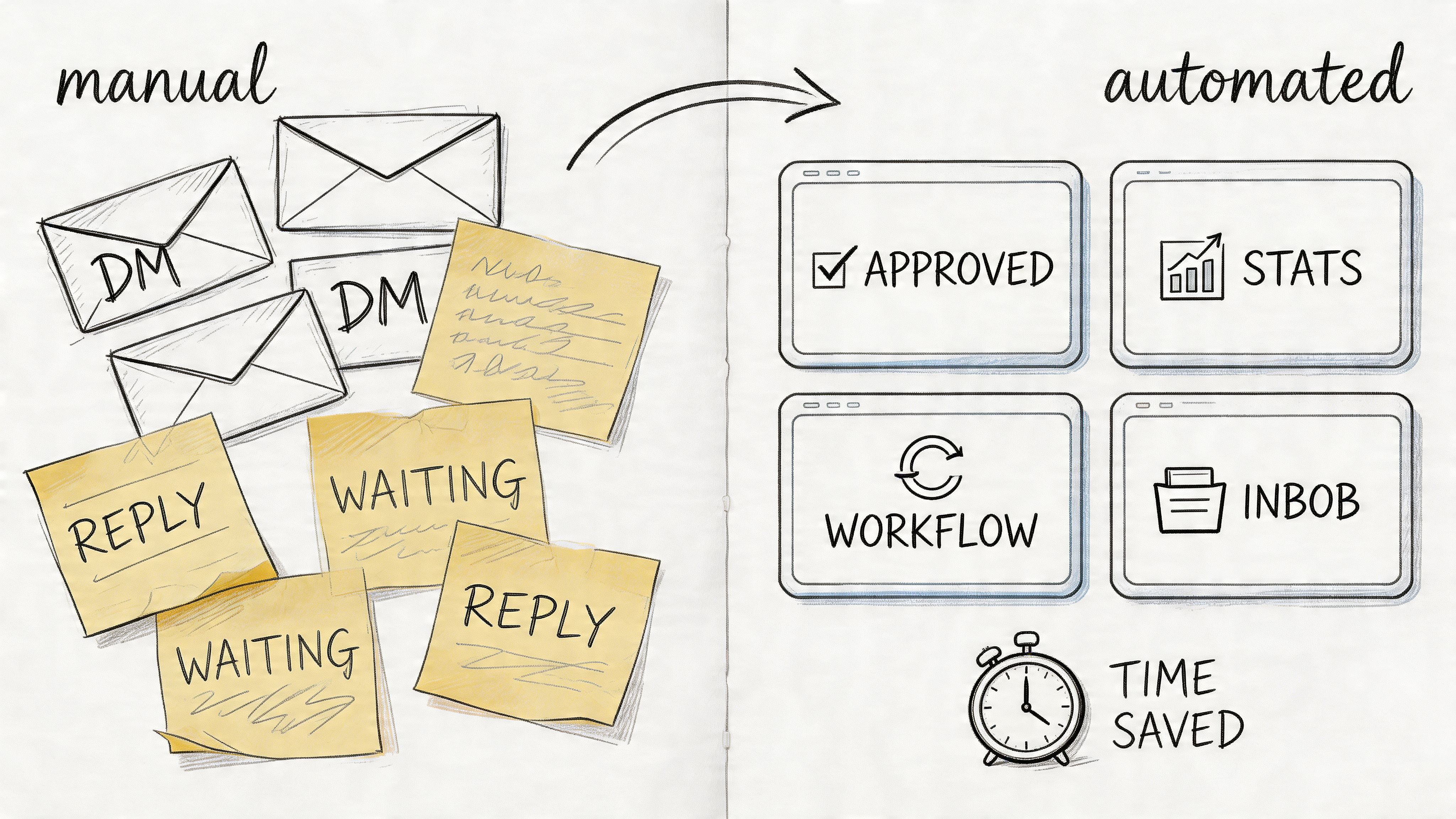
Manual outreach: DMs, follow-ups, spreadsheet tracking, no clear owner
Asset collection delays: missing files, unclear usage rights, duplicate uploads
Reporting blind spots: views in one platform, sales in another, no dependable link between them
Approval bottlenecks: scattered feedback, slow turnarounds, campaigns launching late
Operational reset: one brief, creator matching, tracked links, code redemptions, central asset storage
The creative choice that makes this format sell is specificity. Use real inboxes, real screens, real status updates, and real moments where work stalls. Abstract motion graphics rarely carry enough weight. Buyers trust visible friction because they have lived it.
Analysts at HubSpot and Canva found that marketers are using AI tools primarily to reduce time spent on manual tasks and speed up content production, which supports the core promise behind this format: fewer repetitive steps and faster output when human review stays in the loop (HubSpot's State of AI in Marketing report). Keep that claim grounded in your actual workflow. If your team saves time on briefing, editing, approvals, or reporting, show where the time goes and what the team now does with it.
How to script it so it converts
Start with a painful, expensive moment, not a brand intro. A late launch. A missed lead. A report that takes three people to stitch together. Then move into the fix with a clear sequence of actions.
A simple script outline:
Hook: "Three tools, nine messages, two missed approvals, and the campaign still is not live."
Pain: Show the broken process in sequence
Shift: Introduce the new workflow at the exact point friction peaks
Gain: Tie the new process to faster launch speed, cleaner attribution, fewer manual steps, or better sales visibility
CTA: Book a walkthrough, request a pilot, or ask for a workflow audit
That CTA matters. "Learn more" is weak here. This format attracts buyers who are already evaluating process risk, so the next step should match that intent.
Where it earns ROI
Use this video on landing pages, in outbound sales sequences, and in retargeting for high-intent audiences. It also works well as a founder-led or operator-led LinkedIn post cut into shorter paid assets. The strongest versions feel less like advertising and more like an operational teardown.
Honesty improves performance. If the old process looks cartoonishly bad, the story loses credibility. If the new process looks too easy, implementation feels suspect. Show one or two real trade-offs. Maybe setup takes a week. Maybe branch teams need a new approval rule. Serious buyers trust a video more when it explains the change clearly instead of promising instant transformation.
End on measurable operational gains. Faster campaign launch. Better reporting accuracy. Fewer missed handoffs. Clearer revenue tracking. That is what turns this from a nice explainer into one of the stronger ideas for a video when the goal is pipeline, sales, or location-level action.
7. The Hyper-Local Activation Showcase
A Friday lunch offer goes live at 11 a.m. By 1 p.m., one branch is full, another is half-empty, and paid reporting still looks fine at campaign level. This is the kind of gap a hyper-local activation showcase closes. The goal is branch-level action you can track, not broad reach you have to interpret later.
This format works for pop-ups, store openings, local partnerships, seasonal pushes, and neighbourhood-specific offers. Keep the brief tight. One area, one venue, one offer, one time window. The footage needs to feel immediate and location-bound. If the same edit could run in three cities with only the caption changed, it will struggle to drive foot traffic.
What tends to perform is practical, place-first footage. Approach shots from the street. Queue or entrance context. Storefront recognition. In-venue proof of the offer being redeemed. For mobile filming, low-angle movement can make arrival shots feel more directional and immersive, which is why many creators use it for street-level walk-ins and storefront reveals. Adobe’s guide to camera angles in video production gives a useful overview of how angle changes viewer perception. The takeaway for local campaigns is simple. Film from the customer’s path into the location, not from the brand’s preferred hero angle.
Build around one local action
Use concepts that connect place to conversion:
Restaurant launch: Creator walks in from a recognisable nearby street, shows the dish, then gives a same-day booking or walk-in code.
Retail drop: Creator films the route into the shop, handles the product on-site, and closes with a branch-specific offer.
Fitness studio trial: Creator records arrival, check-in, and first-class reaction, then points viewers to a neighbourhood-led CTA.
The first line should qualify the audience fast. "Near King’s Cross after work?" does more sales work than a generic lifestyle opener because it tells the right viewer the offer applies to them now.
Creative matters, but measurement decides whether this format earns budget again. Set up branch-level UTMs, creator-specific codes, redemption windows, and a staff process for recording in-person usage cleanly. I also like to cut paid and organic versions from the same shoot, then use a simple system for repurposing influencer content for paid social ads so the top local clips keep working beyond the first post.
Shoot these like local sales assets. Each scene should help someone decide to visit, book, or redeem.
Skip vague "community vibe" edits unless brand awareness is the only goal. Local relevance gets attention. A clear offer, a visible location, and a trackable redemption path turn that attention into store visits and sales.
8. The UGC Supercut Advertisement
A paid campaign stalls after two weeks. Frequency climbs, click-through rate slips, and the team assumes they need another shoot. In many cases, the faster fix is better editing. A UGC supercut ad turns existing creator footage into a direct-response asset built to sell, book, or drive store visits across paid social, landing pages, and retention channels.
This format earns its keep once a brand has more than a few usable creator assets. One polished post can perform well. A structured bank of reactions, demos, testimonials, venue clips, and offer callouts gives media buyers far more room to test hooks, audiences, and CTAs without resetting production each time. That is the core value here. Lower creative fatigue and more shots at profitable variants.
The edit has to make a case. Start with the pain point, desire, or offer. Follow with visual proof from multiple people in multiple settings. End on one clear action, whether that is shop now, book tonight, claim the code, or visit the branch this weekend. Brands that treat this format like a montage usually get watch time without much revenue.
How to build a supercut that performs
Sort footage by job before anyone touches the timeline:
Hook clips: strong reactions, fast transformations, first use, first bite, unexpected result
Proof clips: product in use, checkout flow, booking screen, in-store visit, repeat purchase, customer quote
Objection handlers: size, price, speed, quality, ease, delivery, taste, convenience
Closing shots: offer, deadline, location, promo code, product page, booking CTA
I also like to script the sequence before the edit. Ten to fifteen seconds can carry a lot if every clip answers a sales question. Why should I care, why should I trust this, and what should I do next?
If your team is already collecting creator assets, this guide on repurposing influencer content for paid social ads helps on the operational side. Rights usage, file naming, creator approvals, and campaign tags need to be sorted early or the asset library becomes hard to use at scale.
There is also a solid performance case for this approach. Nielsen's analysis of creator-driven advertising has shown that ads built with creator content can outperform brand-produced creative on trust and effectiveness, which is why UGC often holds ROAS longer in paid social once the message and targeting are dialed in. The practical takeaway is simple. Do not value a creator post only by its organic reach. Value it by how many paid variations it can supply.
What usually improves results
Build several ad variants from the same clip set and change only two variables: the opening hook and the final CTA. That makes it easier to see whether the lift came from the angle, the offer, or the audience.
A few combinations I have seen work well:
Pain-first hook + urgency CTA: best for problem-aware buyers close to purchase
Reaction-first hook + product page CTA: useful for colder prospecting traffic
Testimonial-first hook + local offer CTA: strong for foot traffic campaigns and branch promotions
Keep the middle of the ad stable while testing. If everything changes at once, the team learns very little.
Track this format like a sales asset, not a content asset. Use ad-level UTMs, creator identifiers in naming conventions, promo code mapping, landing page variant IDs, and a post-purchase survey field for view-through assists. For physical locations, add branch-specific redemption codes and a staff logging process so in-store conversions do not disappear from reporting.
Fast cuts help. Random cuts do not. The strongest supercuts feel dense, but every second has a job.
Comparison of 8 Video Ideas
Concept / Title | Implementation 🔄 (Complexity) | Resources ⚡ (Speed / Required) | Expected Outcomes ⭐📊 (Effectiveness / Impact) | Ideal Use Cases | Key Advantages & Tips 💡 |
|---|---|---|---|---|---|
The Authentic Micro-Influencer Unboxing | Low–Medium, coordinate creators and content guidelines | Medium, product samples, creator fees, tracking codes | ⭐⭐⭐ 📊 Strong engagement and measurable direct sales via promo codes | Ecommerce, DTC product launches | 💡 High authenticity; use unique promo codes, trending audio, and UTM links |
The "Problem/Solution" Product Demo | Medium, scripted before/after narrative and clear demo shots | Low–Medium, creator, simple set, product for demonstration | ⭐⭐⭐ 📊 High conversion intent; clear product value seen by viewers | Ecommerce products that solve a clear pain point | 💡 Encourage platform remixing; track with UTM-tagged links |
The "Behind the Pass" Exclusive | Medium–High, kitchen access, scheduling and permissions | High, production in kitchen, chef time, close-up audio/visuals | ⭐⭐ 📊 Strong trust and perceived quality; drives reservations and word‑of‑mouth | Restaurants launching signature dishes | 💡 Use Stories poll/countdown and reservation-linked promo UTMs |
The "Local Guide" City Spotlight | Medium, coordinate local guide and multi-location shots | Medium, travel/time, multiple venue permissions | ⭐⭐ 📊 Boosts local awareness and brand embedding in community | Single or multi-location restaurants seeking local discovery | 💡 Prompt locals to duet/stitch; use visual promo codes for foot‑traffic tracking |
The "Campaign ROI" Client Case Study | Medium, collect data, client approvals, animated graphics | Low–Medium, analytics visuals, editing, landing page placement | ⭐⭐⭐ 📊 High credibility and lead generation; proves agency value with metrics | Agencies pitching B2B clients on influencer programs | 💡 Post natively on LinkedIn, embed on landing page with UTMs and Calendly |
The "Process Pain to Gain" Explainer | Medium, storyboarded before/after workflow animation & screen captures | Low, screen recordings, simple animation or edit | ⭐⭐ 📊 Demonstrates efficiency gains; effective for lead capture | Agencies and platforms selling workflow automation | 💡 Offer gated long-form version to build a qualified lead list |
The "Hyper-Local Activation" Showcase | High, coordinate multiple local creators across regions | High, many creators, location shoots, consolidated edit | ⭐⭐ 📊 Improves brand perception nationally while highlighting local relevance | Multi-location brands aiming for local authenticity | 💡 Use Collab posts to expand reach; monitor sentiment and local promo redemptions |
The "UGC Supercut" Advertisement | High, curate, clear rights and fast-paced editorial work | Medium–High, UGC sourcing, licensing, tight editing | ⭐⭐⭐ 📊 High ad performance (lower CPA), strong social proof in paid campaigns | Multi-location brands and ecommerce performance ads | 💡 Use as primary paid creative with dedicated UTMs; tag top-performing creators for repeat partnerships |
Turn Ideas Into Attributable Revenue
A marketing lead approves eight video concepts. The team films three, posts two, and reports a spike in views. Six weeks later, nobody can tie those views to revenue, bookings, store visits, or qualified leads. That is the gap this playbook is built to close.
The ideas above work best as campaign briefs, not content prompts. Each one needs a defined audience, a hook built for that audience, one CTA, one offer, and a tracking method set before production starts. Without that structure, even strong creative turns into loose brand activity that is hard to repeat and harder to scale.
Online video already has attention. The bottleneck is attribution.
Start with five decisions before anyone picks up a camera. Who is the buyer? What problem or desire gets the opening hook? What proof appears in the first cut? What action should the viewer take next? How will the team track that action by creator, edit, product, or location?
That planning step sounds simple, but it is where campaigns usually break. Brand teams often approve a concept before they decide the redemption path. Agencies often brief creators before they lock the reporting setup. Multi-location businesses often publish local content without branch-specific links or codes. Then the campaign produces activity, but not a clean answer to which asset drove sales.
The fix is operational discipline tied to business model.
For ecommerce, use creator-specific discount codes, clean UTMs, product-level naming conventions, and a simple asset log that records hook, format, creator, landing page, and conversion result. For restaurants, salons, gyms, and hospitality groups, use location-specific offers, booking links for each branch, POS staff prompts for code capture, and a weekly reconciliation process between platform metrics and in-store redemptions. For agencies, build the reporting layer into the proposal so clients see cost per lead, booked calls, code usage, assisted conversions, and revenue by asset, not just reach and engagement.
This also changes how teams should value each video. An unboxing can feed paid social, product pages, email flows, and retargeting. A behind-the-pass clip can support local ads and booking pages. A city spotlight can help a branch manager drive foot traffic in one postcode, not just get comments from existing followers. A client case study can shorten the sales cycle because it answers the next buyer's objections before the call starts.
That is where ROI improves. One shoot produces multiple assets with separate jobs, separate CTAs, and separate tracking.
Execution still gets messy fast. Creator outreach takes time. Approvals stall. Files arrive in the wrong aspect ratio. Usage rights sit in email threads. Promo codes get created late. Reporting ends up split across ad accounts, spreadsheets, DMs, and screenshots. Teams do not fail because the concept was weak. They fail because campaign operations were bolted on after filming.
A tighter system fixes that. If your team is reviewing tools to handle sourcing, workflow, asset management, and reporting with less manual work, this overview of AI marketing software is a useful starting point.
The goal is simple. Launch faster, test more hooks, and keep the pieces that produce sales, bookings, and foot traffic.
If you want to turn these ideas into live campaigns without juggling creator outreach, spreadsheets, promo codes, approvals, and reporting by hand, Sup is built for exactly that. It helps brands and agencies source local micro and nano creators, launch campaigns with tracked codes and UTMs, collect UGC in one place, and tie content back to clicks, bookings, conversions, and revenue.

Matt Greenwell
Share